MM2 of The Monsters Controls
Survivor and monster binds for PC and mobile: Left Control sprint, taser, camera, melee, and Q. Confirm console glyphs in-game.
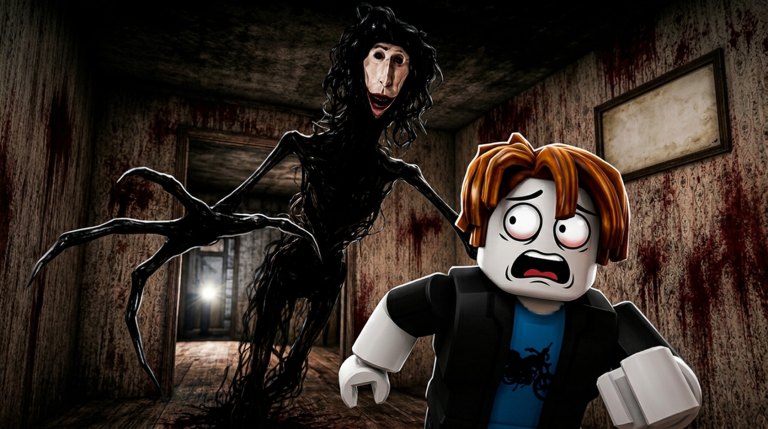
MM2 of The Monsters uses a split bind set: one overlay for survivors, another for the player monster. Mixing them is the usual reason a new Locust cannot attack. This sheet is the reference for PC and mobile. Console glyphs are not published as a stable chart for place 100860415498291, so pad players should open the in-game Roblox control list rather than copying another title.
Onboarding is in Getting Started. Chase use of sprint and taser is in How to Survive the Locust. Hunter use of Q is in How to Become the Monster. Hiding interact prompts are in Best Hiding Spots.
Survivor controls (PC)
| Action | Input | Notes |
|---|---|---|
| Move | WASD | Walk until you are seen. |
| Look | Mouse | Do not peek lockers. |
| Jump | Space | Rarely useful in a chase. |
| Sprint | Left Control | Not Shift. Hold only after the Locust has line of sight. |
| Interact / hide | E or on-screen prompt | Lockers, vents, keys, shop prompts. |
| Taser | Equipped tool + click / activate | ~5 second stun, limited use, melee range. |
| Camera | Equipped shop gadget + activate | Information tool. Check the live tooltip. |
| Crouch | C on many PC sessions | Confirm in-game; do not assume every lobby enables it. |
Sprint is the bind people fight. Left Control is the documented keyboard sprint for this place. If your finger still reaches for Shift, rebind in Roblox settings or you will walk into the Locust at walk speed.
Survivor controls (mobile)
| Action | Input | Notes |
|---|---|---|
| Move | Left joystick | Keep it small until you hear the hunter. |
| Look | Drag on the right | Do not spin in a locker. |
| Jump | Jump button | Optional. |
| Sprint | Sprint button / toggle | Use it to a corner, then release. |
| Interact / hide | Interact button | Appears near lockers, vents, keys. |
| Taser | Item button while equipped | Save the charge. |
| Camera | Item button while equipped | Do not flash in the open unless you already have an exit. |
Thumb overlay covers vents. If you cannot tap interact, center the grate, then tap. Auto-run into a wall is still sound.
Monster controls (PC)
| Action | Input | Notes |
|---|---|---|
| Move | WASD | Wider body. Take wider corners. |
| Look | Mouse | Check lockers on the floor you are already on. |
| Jump | Space | Situational. |
| Sprint | Left Control if available on that body | Some bodies feel faster without a toggle. Test once in spawn. |
| Regular attack | Click / melee bind | Primary kill. |
| Special | Q on most bodies | Room clear, window camper, stuck survivor. |
| Interact | E | Doors, lockers, vents you can use. |
If click does nothing, you are still on the survivor HUD or you are in a spawn lock (TV beat, role intro). Wait, look at the prompt, then attack. Q is not the taser.
Monster controls (mobile)
| Action | Input | Notes |
|---|---|---|
| Move | Left joystick | The model is larger; avoid snagging doorframes. |
| Look | Drag | Sweep locker rows, not the sky. |
| Regular attack | Extra attack button after role swap | Not the survivor item slot. |
| Special | Extra special button (Q equivalent) | Test once on empty space. |
| Interact | Interact button | Open lockers. Do not skip the row. |
Mobile hunters miss entire rounds because the attack cluster only appears after they become the monster. If taps pan the camera and never swing, you have not found those buttons. Look at the right-side actions after the TV or spawn beat. Tablet layouts hide them under the Roblox menu.
Console, bugs, and “nothing fires”
Xbox and PlayStation glyphs for this place are not documented as a public chart. Open the Roblox menu, check movement and interact, and map sprint yourself. Do not copy Murder Mystery 2 knife binds; this is a different game from forzik221.
If attacks still fail after a role swap, the body may be stuck after a stun, the special may be on cooldown, or a lobby bug froze the hunter. Back off, wait the ~5 second taser window if you were stunned, then swing again. Do not buy a second body to fix a HUD miss. Confirm the live kit on the Locust dossier and the monster roster only after the buttons work.
A clean controls session is this: survivor sprint on Left Control, taser equipped, one locker interact, then a hunter round where Q fires once on purpose. After that, stop staring at this table and go play the nest. The Guides Hub is the index if you still need survival or hiding next.
Frequently Asked Questions
Quick answers for survivors and hunters in MM2 of The Monsters.
What is the sprint key on keyboard?
Left Control. Shift is the usual Roblox habit and it is wrong here. Use it only after the Locust has seen you, as in How to Survive the Locust.
How do I use the taser and camera?
Buy them in the shop, equip them as tools, and activate at short range. The taser stuns about five seconds and is limited-use. Spending order is on the item tier list.
What is Q?
The monster special on most PC bodies. Regular attack is a separate melee input. Full hunter use is in How to Become the Monster.
Why can I not attack on mobile as the Locust?
The attack and special buttons appear after the role swap and are easy to miss. They are not the survivor item slot. Re-read the mobile monster table above, then the Locust dossier for what the body should do.
Where are the console binds?
Not published as a stable public chart for this place. Open the in-game Roblox control list on your pad and match sprint, interact, and attack there. Do not copy original MM2 knife glyphs.
Which page should I read after this sheet?
Survivors go to Getting Started or Best Hiding Spots. Hunters go to How to Become the Monster. All five guides are listed on the Guides Hub.